Frequently Asked Questions
What is quality approval workflow software?
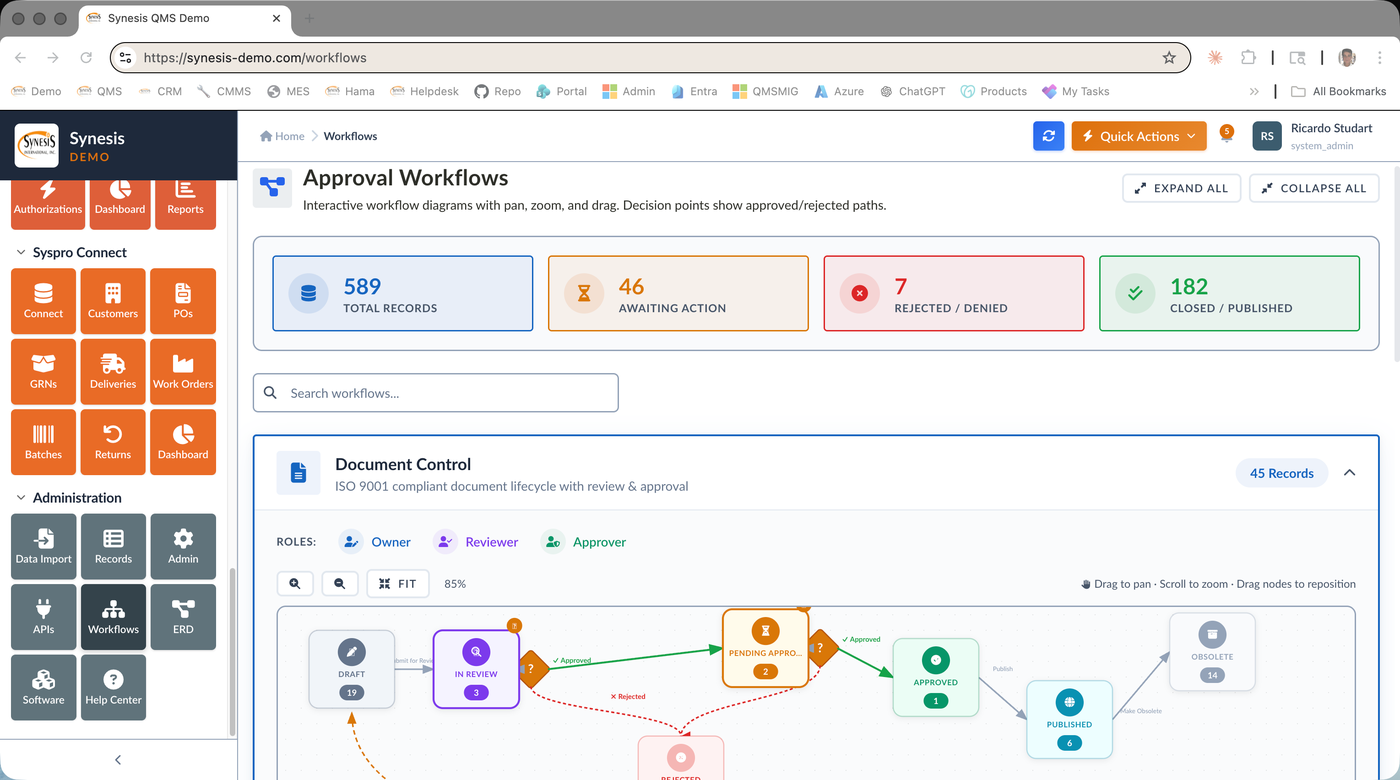
Quality approval workflow software routes quality records such as documents, CAPAs, nonconformances, and change controls through defined review and approval steps, with the right people notified at each stage. Synesis QMS quality approval workflow software lets manufacturers configure multi-step approval chains per module, capture electronic approvals, and visualize each process as an interactive workflow diagram. The result is consistent, enforceable approvals instead of ad-hoc email sign-offs.
How does approval workflow software support ISO 9001 compliance?
ISO 9001 requires controlled review and approval of documented information and corrective actions, with clear evidence of who authorized what. Quality approval workflow software enforces those gates automatically, recording each reviewer and approver decision with a time-stamped audit trail. The same engine drives approvals for document control, CAPA, audits, and change control, so manufacturers in ISO 9001, ISO 13485, IATF 16949, and AS9100 environments get repeatable, audit-ready processes.
Can approval workflows be customized for each quality process?
Yes. The quality approval workflow software supports configurable multi-step chains with decision gates, rejection loops, and escalation, tuned separately for each module such as documents, CAPA, nonconformances, complaints, and change control. Rejections route the record back to the owner with comments rather than dropping it, and every step is tracked. This lets manufacturers model their real approval policies instead of forcing every process into one rigid flow.
Does the approval workflow software work with Microsoft 365 and SAP Business One?
Yes. The quality approval workflow software integrates with Microsoft 365, Teams, and Outlook so approvals and notifications reach reviewers where they already work, and as an SAP Gold Partner Synesis also offers native SAP Business One integration. Because workflows connect to the rest of the Synesis QMS platform, an approved CAPA or document update can trigger linked actions for full closed-loop traceability, deployed in the cloud or on-premise.