Customer Orders
Order-to-Production
Customer orders from ERP create or release production work orders in MES. Promise dates flow forward. Production progress flows back to inform customer-service and shipping.
Bridge Production and ERP — Work Orders, BOMs, Inventory, Postings
Synesis MES ERP Connect ties the MES directly into your ERP system, so production execution is connected to order management, inventory, and finance in real time. ERP releases customer orders → MES creates production work orders. MES production posting → ERP inventory updates and shipment release. ERP engineering changes → MES BOM and routing revisions. ERP procurement → MES material availability for scheduling.
ERP Connect supports SAP Business One, SAP S/4HANA, Syspro, and Microsoft Dynamics 365 out of the box, with a generic adapter pattern for other systems. Synesis MES ERP Connect maps and syncs the entities that matter to production: customer orders, work orders, BOMs, routings, items, vendors, customers, and inventory. Postings flow back to keep the ERP accurate.
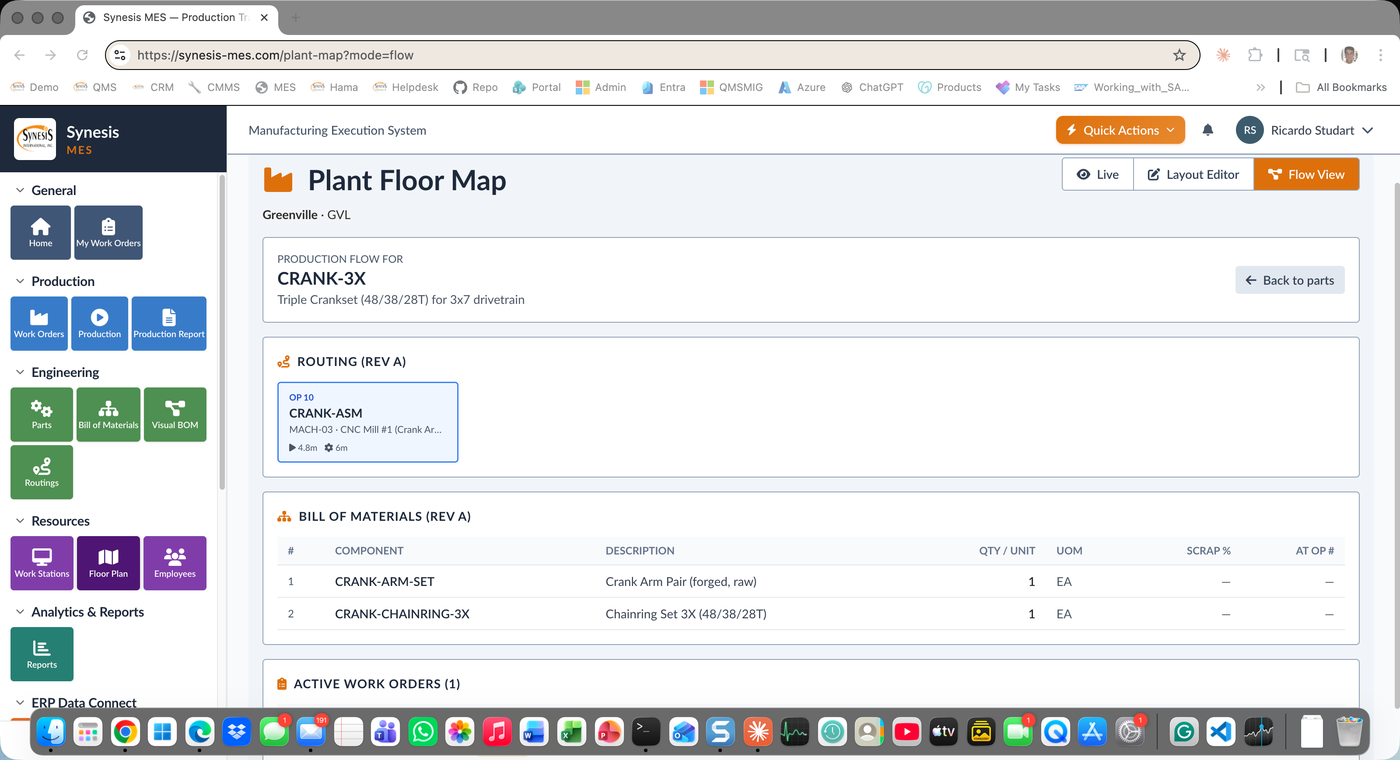
Order-to-Production
Customer orders from ERP create or release production work orders in MES. Promise dates flow forward. Production progress flows back to inform customer-service and shipping.
Two-Way Sync
Production work orders synced both directions. Released in ERP, executed in MES. MES status, percent-complete, and completion flow back to ERP in real time.
Engineering Master
BOMs and routings master in ERP, executed in MES. Engineering change control flows revisions through to MES with effective-date control.
Materials Master
Item master and inventory levels synced from ERP. Production postings update inventory in real time. Material reservations and issues coordinated.
Real-Time Inventory Updates
MES production postings (completion, scrap, rework) flow to ERP for inventory updates, shipment release, customer order fulfillment, and accounting.
Earned Hours to Costing
Labor records and earned hours flow from MES to ERP for costing and payroll. Variance reporting at work order, operation, and operator level.
Inventory Lock
MES quality inspection failures put inventory on hold in ERP. Holds flow back to prevent shipment, payment, or use until QMS disposition.
SAP, Syspro, Dynamics, Custom
Built-in support for SAP Business One, SAP S/4HANA, Syspro, and Microsoft Dynamics 365. Generic adapter pattern for other ERPs and custom legacy systems.
Stop typing the same work order or part number twice. MES references ERP data live. One source of truth.
Real-time backflush keeps ERP inventory accurate, so purchasing knows what to buy and shipping knows what's available.
From an ERP customer order, see the live work order status, percent-complete, and projected completion in MES. Promise dates become reliable.
Built-in for SAP Business One, SAP S/4HANA, Syspro, and Microsoft Dynamics. Configurable adapter pattern integrates with custom or legacy ERPs.
MES-to-ERP integration ties production execution directly into order management, inventory, and finance so the two systems share live data instead of being re-keyed. Synesis MES ERP Connect maps and syncs the entities that matter to production — customer orders, work orders, BOMs, routings, items, vendors, customers, and inventory — in both directions. ERP releases orders and MES creates work orders; MES production postings flow back to update inventory and release shipments, keeping the ERP accurate in real time.
ERP Connect supports SAP Business One, SAP S/4HANA, Syspro, and Microsoft Dynamics 365 out of the box, and uses a generic adapter pattern to integrate with other or custom legacy ERPs. As a long-standing SAP partner, Synesis maps the integration to the specific entities each ERP exposes rather than forcing a one-size-fits-all connector, so the sync reflects how your ERP actually models orders, items, and inventory.
When operators post completions, scrap, and rework in MES, those postings flow to the ERP in real time to update inventory, release shipments, fulfill customer orders, and feed accounting. Real-time backflush means purchasing sees what is actually on hand and shipping sees what is actually available, instead of working from an overnight batch. Labor records and earned hours also flow to the ERP for costing and variance reporting at work order, operation, and operator level.
When an MES quality inspection fails, the affected inventory is put on hold in the ERP, and that hold flows back to prevent shipment, payment, or use until the QMS records a disposition. This closed loop keeps nonconforming material from moving downstream even though production, quality, and finance live in different systems. Combined with two-way work order sync, it gives customer service reliable, live visibility into order status and projected completion.
Talk to our integration team about ERP Connect for SAP Business One, SAP S/4HANA, Syspro, Microsoft Dynamics, or your custom ERP.
Request a Demo